WATERMARK ERASERTry free

Remove People from Photo

Remove people from a photo by brushing over them. Watermark Eraser rebuilds the background behind the painted area, and you compare the result before you download.

  • Free to try
  • No sign-up
  • You choose who goes
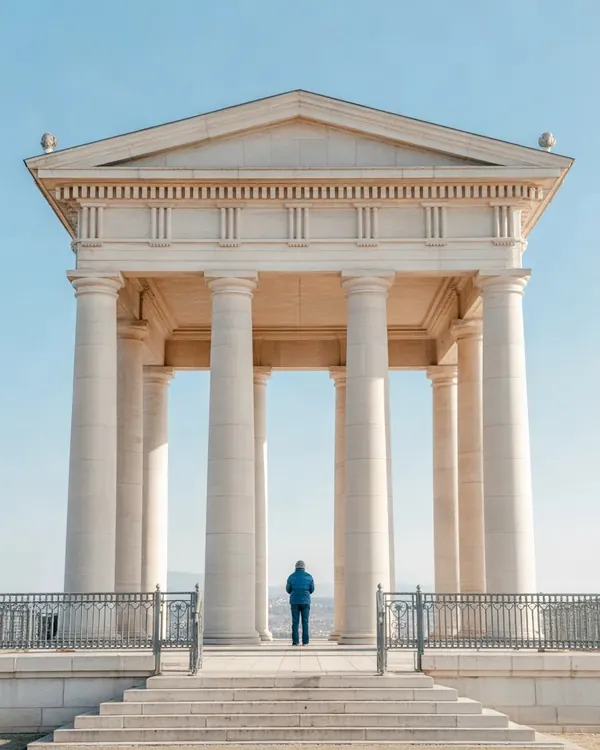
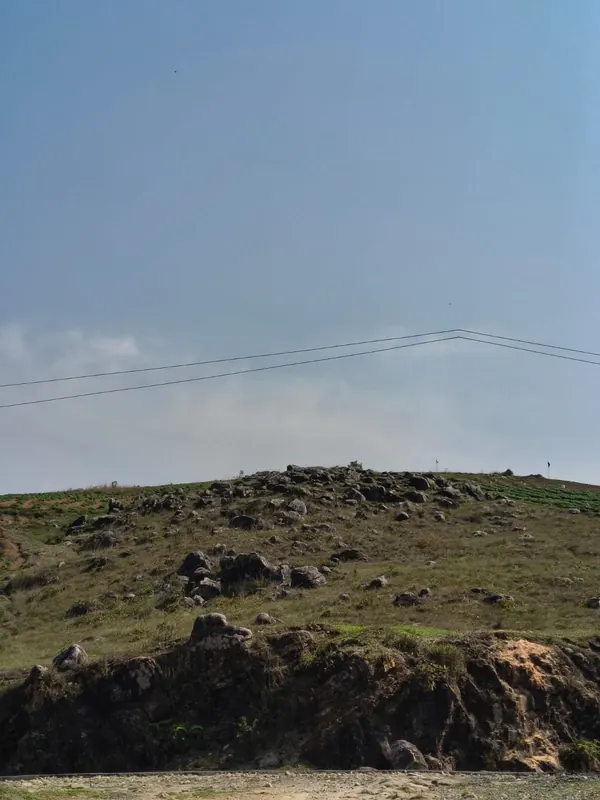
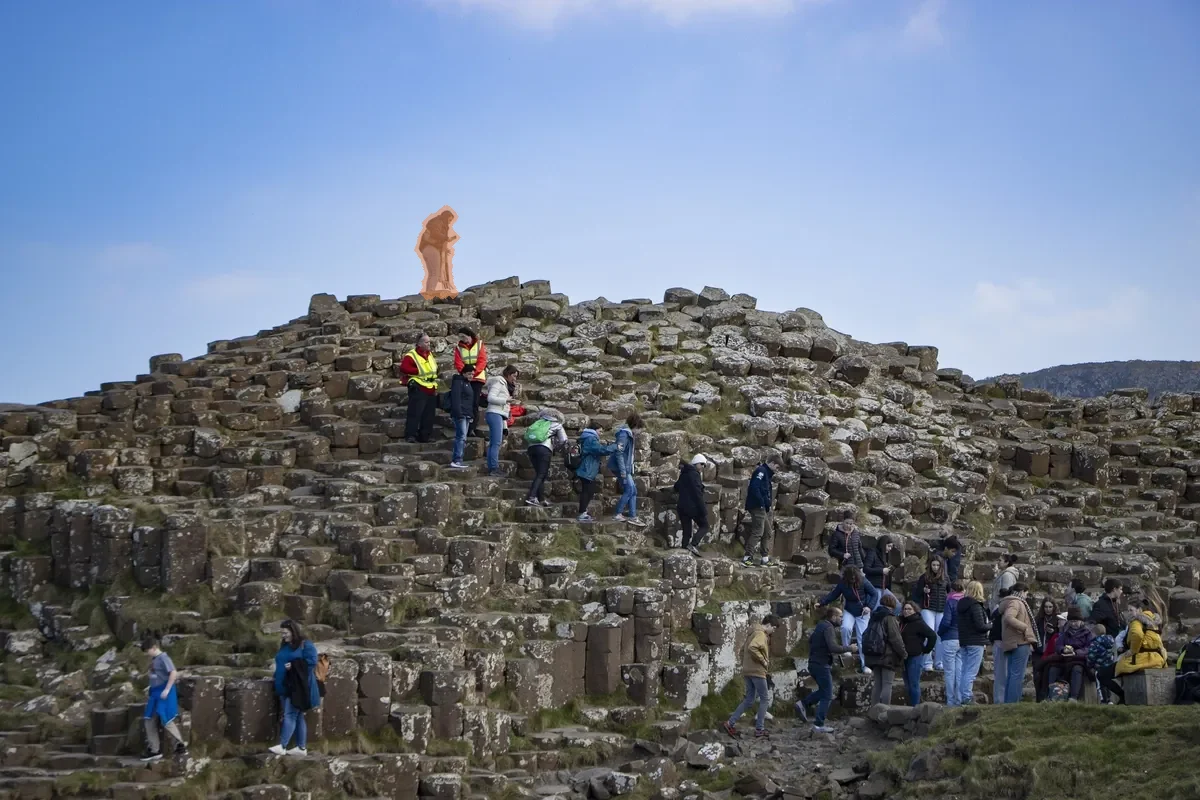
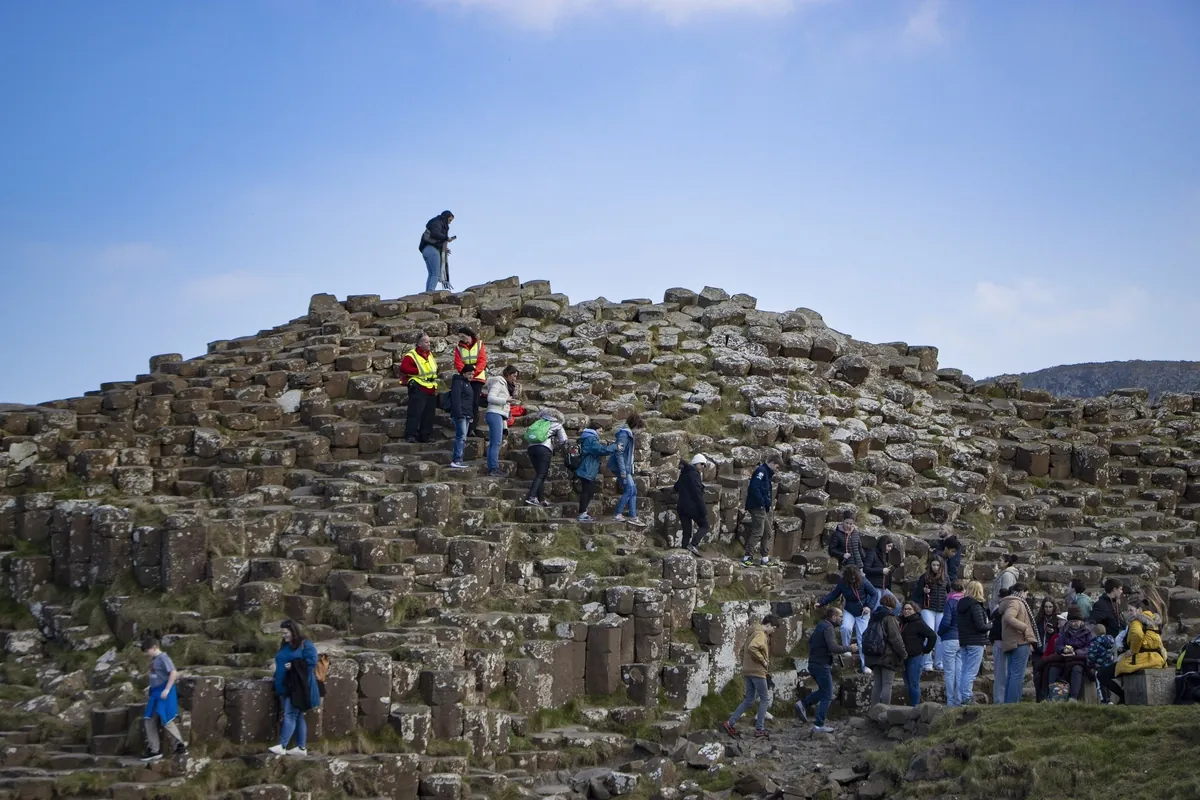
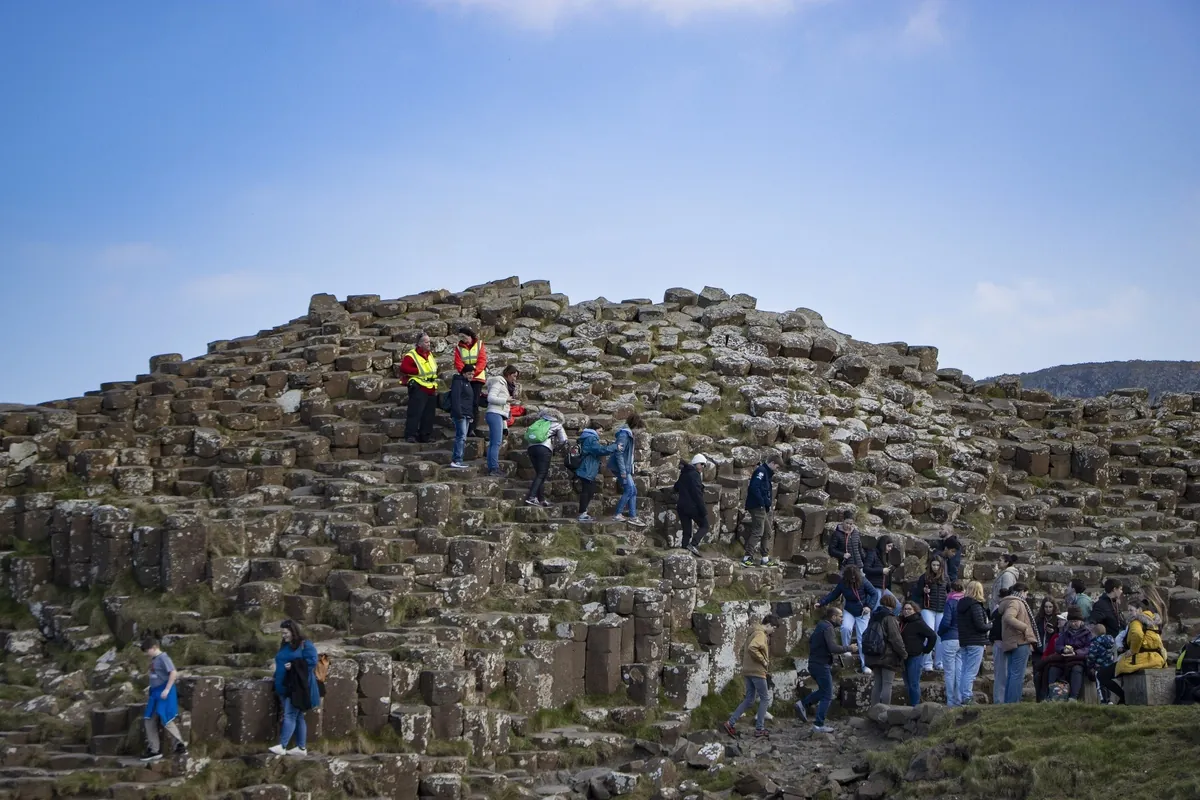
One tourist on a summit against the sky, beforeOne tourist on a summit against the sky, after removal (clean)
BeforeAfter · clean
Drop a photo here, or choose a file.PNG, JPG or WebP, up to 20 MB.
No image? Try one of these.

One quick check before we start.

How do you remove a person from a photo?

Upload the photo, brush over the person and the shadow on the ground, then run removal. The AI fills that area with background taken from around it.

You paint the people yourself, from head to feet and the shadow. The tool does not pick people out, so anyone you leave unpainted stays.

We only promise one person, or a few, in front of open background such as sky, plain ground or a paved square. Paint them in one stroke, shadows included.

Only the area you paint, plus a thin blending margin of about 12 pixels, changes. Check it with Show changed pixels.

Guests get 3 free removals a day with no account, and the download carries no Watermark Eraser mark. In our runs, one removal took 8 to 27 seconds.

Who removes people from photos

Tourist removed from a summit photo

Travelers

Travelers clear a stranger from a landmark shot.

Try it on your photo →
Birthday table with a guest leaning in at the edge

Families and event guests

Families and event guests clear a photobomber or a guest walking through a group.

Try it on your photo →
Passer-by removed from the edge of a queue

Portrait shooters and sellers

Wedding and portrait shooters clear a passer-by behind a couple, and sellers clear a person reflected in a window of a room photo.

Try it on your photo →

Remove passersby, tourists and photobombers from a photo

Pick the case that looks like yours. How well the background rebuilds depends on what is behind the person.

Examples at a glance. Tags come from our own runs: clean, acceptable, faint trace or failed. Cases with no run yet say not tested yet.

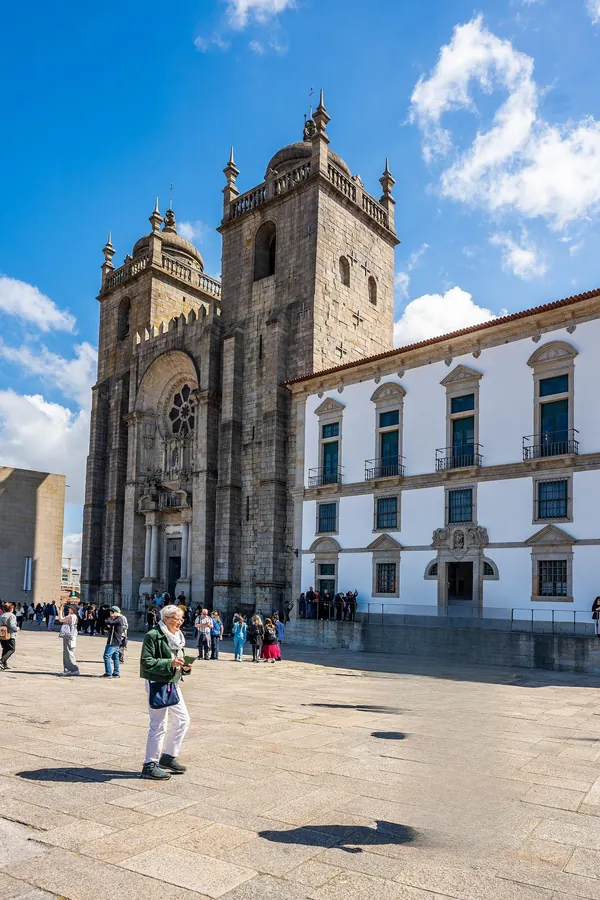
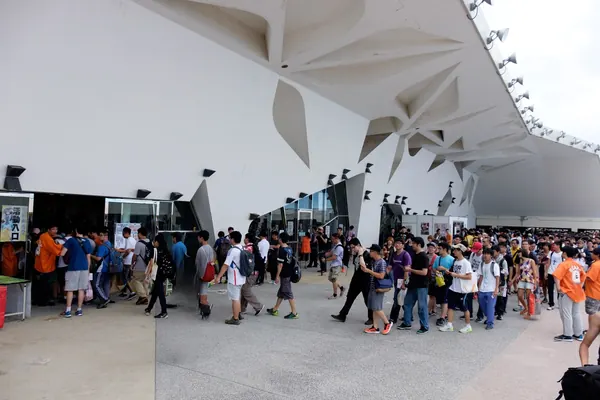
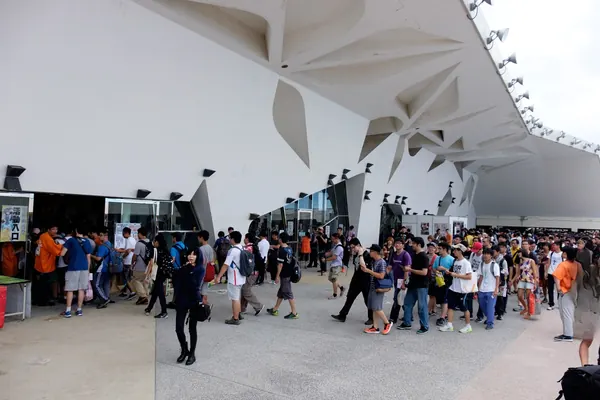
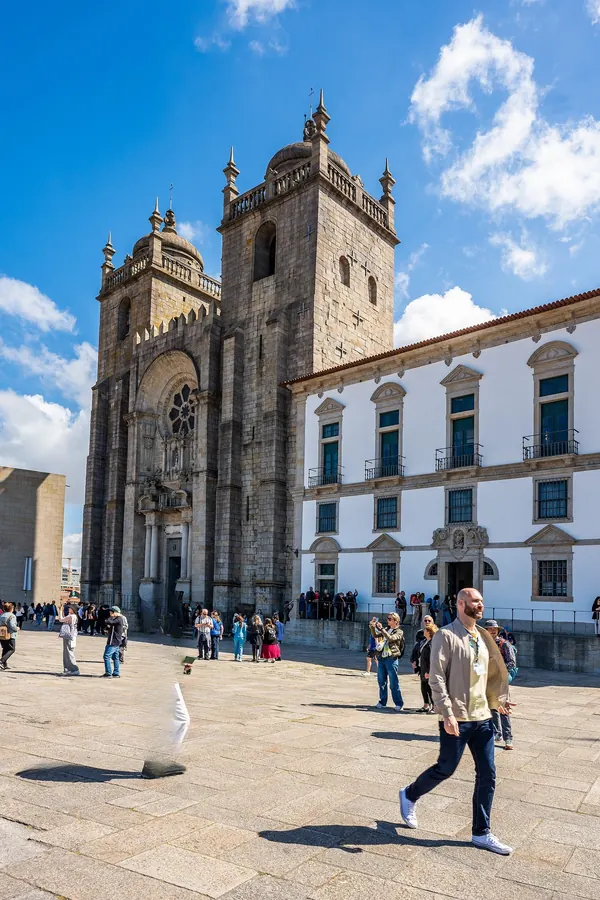
  • Walker on a sunny square, faint tracefaint traceWalker on a sunny square, body and shadow painted: clean ground, faint trace where the head overlapped the crowd
  • Walker with the brush stopped at the knee, failedfailedSame walker with the brush stopped above the knee: failed (a leg, a shoe and part of the shadow stayed)
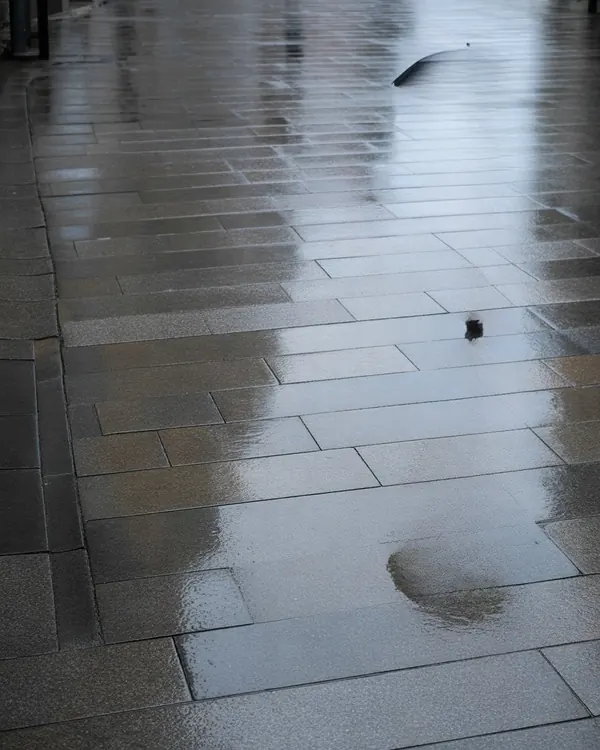
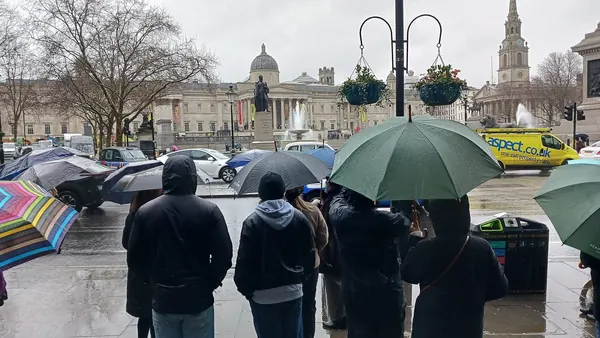
  • Back view at the edge of a queue, acceptableacceptableBack view of a single walker at the edge of a queue: acceptable (one small dark stub at an umbrella handle)
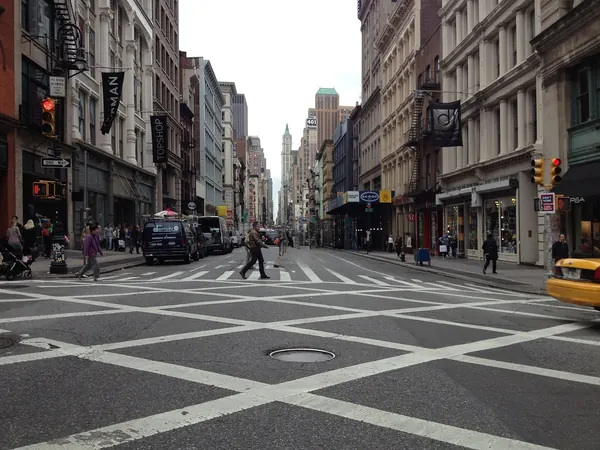
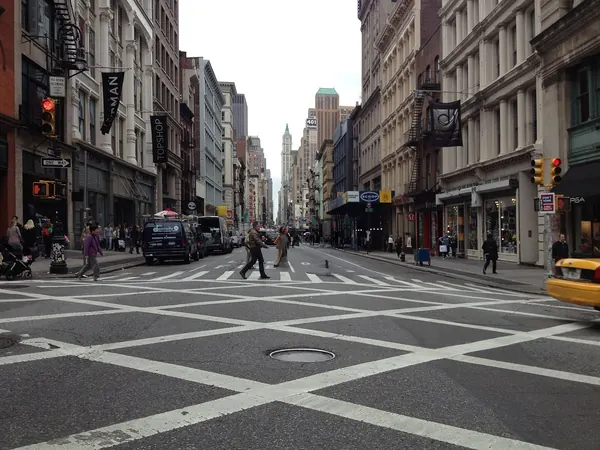
  • Zebra crossing painted as one block, faint tracefaint traceThree pedestrians on a zebra crossing, painted as one block: faint trace (a fourth person outside the brush stayed)
  • Zebra crossing painted one by one, failedfailedThe same three painted one by one: failed (dark patches and ghost shapes)
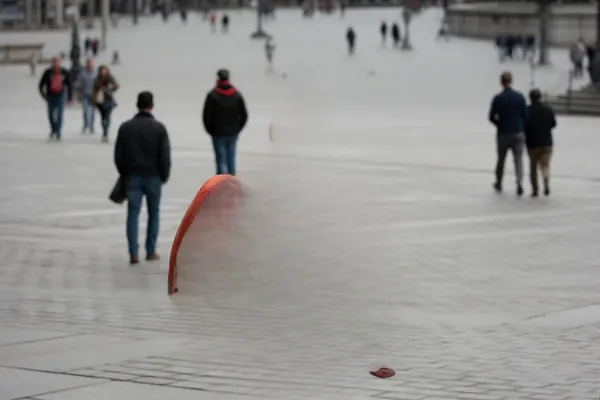
  • Two walkers on a square, faint tracefaint traceTwo walkers on a tourist square, painted as one block: faint trace (the shadows were not painted)
  • Person in a crowd, failedfailedA few people painted in a dense beach crowd: failed with both methods (dark smear)
  • Passer-by with an umbrella at a queue edge, failedfailedA back view in front of cars and umbrellas, painted as one block or one by one: failed with both (dark blobs)
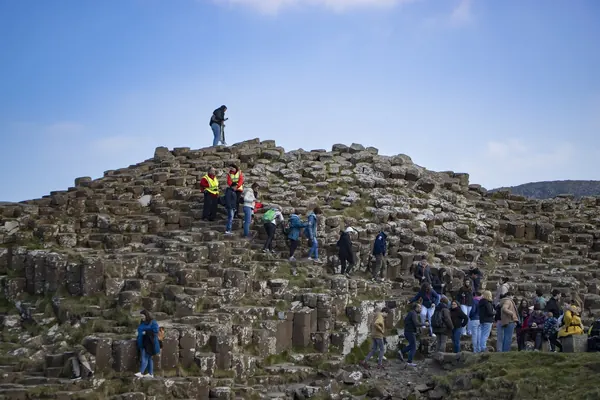
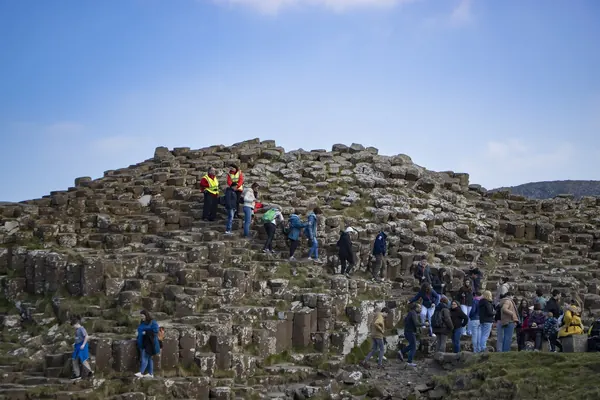
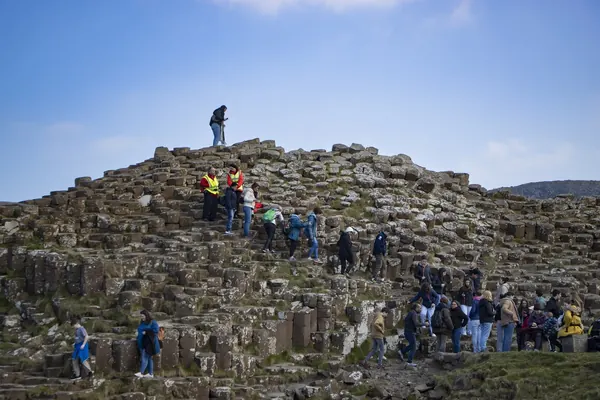
  • Tourist on a summit, cleancleanOne tourist on a summit against the sky: clean
  • Boy on rock steps, failedfailedA boy walking on a rock stairway, painted to the knee only: failed (both legs and the shoes stayed)
  • Woman beside a queue, failedfailedA woman standing beside a queue, with people and paving behind her: failed (a dark stain, and the person behind her was smeared)
  • Person cut off by the photo edge, failedfailedA person at the right edge of a crowd photo, painted out to the border: failed (a brown smear along the edge)
  • Tourist in front of a landmark, input photo, not tested yetnot tested yetLandmark with straight lines, someone beside you, event staff, a reflection: not tested yet
  • Object photo: animals are handled on the object pagenot offeredAnimals: not offered on this page, see the object page
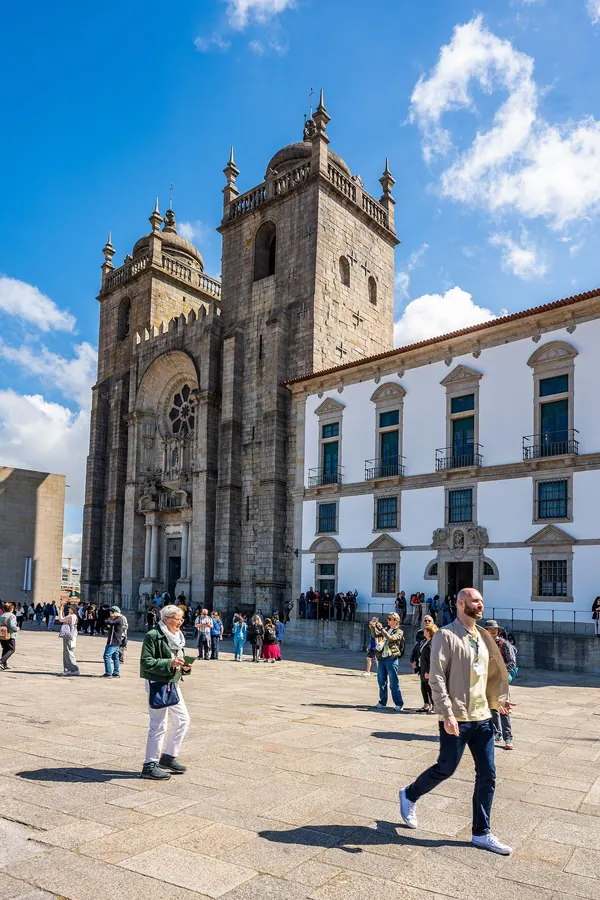
Walker on a sunny square, beforeBefore
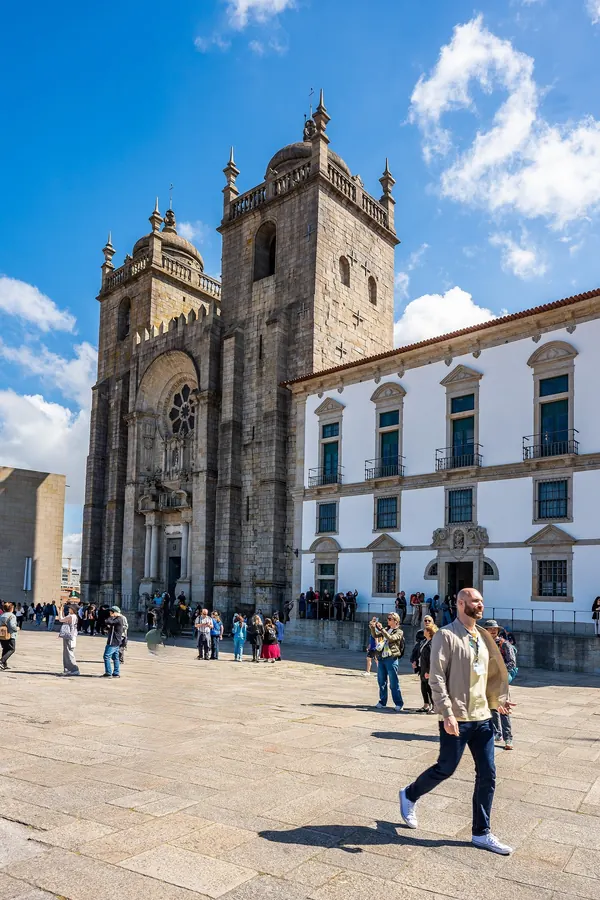
Walker on a sunny square, after removal (faint trace)After · faint trace

Porto Cathedral Square, Wikimedia Commons, CC BY 4.0 · faint trace · one run

A stranger on an open square or plain ground

One walker crossing a paved square, with a long shadow over the stones. Behind the person is plain paving.

Paint the person from head to both shoes, a few pixels wider than the body, and paint the shadow out to its far end.

In our square tests, a brush that stopped above the knee left a leg, a shoe and part of the shadow. Painted from head to feet with the shadow, the ground came back clean. Her head had overlapped the crowd behind her, and that spot stayed smudged.
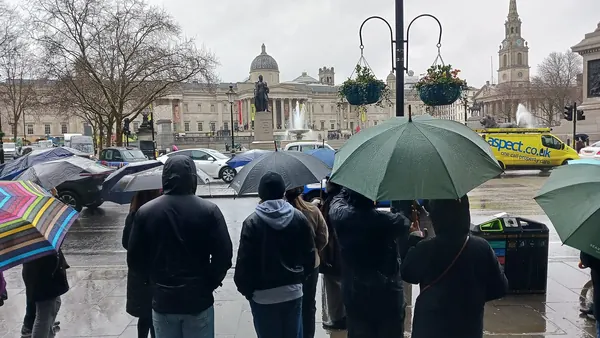
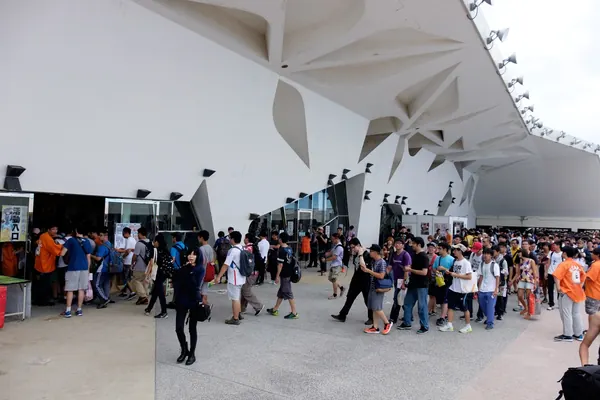
Back view at the edge of a queue, beforeBefore
Back view at the edge of a queue, after removal (acceptable)After · acceptable

Photo: oatsy40, CC BY 2.0 · acceptable · one run

A passer-by at the edge of a queue or group

Someone walking past with their back to the camera, at the edge of a queue. Behind them is wet pavement with straight joints.

Paint the visible body and the legs under any umbrella or bag, and stop where the next person begins.

Our back-view test came off with the paving unbroken and one small dark stub at an umbrella handle. If a stub stays, paint just that stub and run again.

A woman standing beside a queue failed in a separate run. A dark stain stayed, and the person behind her was pulled out of shape.

One tourist on a summit against the sky, beforeBefore
One tourist on a summit against the sky, after removal (clean)After · clean

Photo: Julia Hoffman, Wikimedia Commons, CC0 · clean · one run

A tourist in front of a landmark

A person at the foot of a monument, in front of columns, windows or railings. Behind them are straight lines that must still meet after the fill.

Brush the body and shadow, and stop at the stone edge wherever the person allows. If two or three tourists stand close together, paint them in one pass.

One tourist on a summit against the sky came off clean in one run. A boy walking on a rock stairway failed, because our brush stopped at the knee. We have not tested straight lines behind a person.

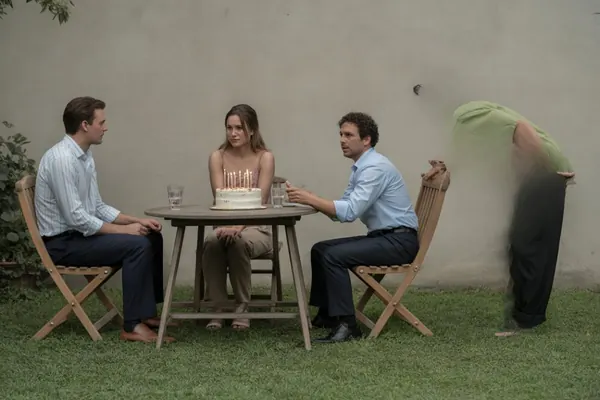
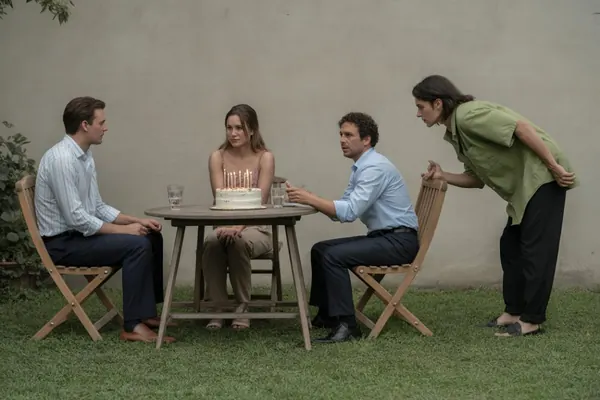
Birthday table with a photobomber leaning in, beforeAI sample
Birthday table after the photobomber was removed (failed)After · failed

AI-generated sample, our removal, one run · failed

A photobomber or someone in a group shot

A guest leaning in at the edge of a birthday photo. Behind them are a wall and the shoulders of the people you are keeping.

Outline only the person you are removing. Where an arm or a shoulder overlaps someone else, stop at that person's outline.

Our crowd tests left dark smears when people stood close, so we do not promise this case.

Person cut off by the right edge of the photo, beforeBefore
Person cut off by the right edge of the photo, after removal (failed)After · failed

Photo: 玄史生, Wikimedia Commons, CC0 · failed · one run

A person cut off by the edge of the photo

An arm, a shoulder or half a body entering the frame from one side, with a wall, a road or sand at the border.

Paint the visible part and run the stroke out to the photo border. This failed in our run: a brown smear ran along the right edge. We do not promise this case.

How to remove people from a photo

To remove people from a photo, brush each person with their shadow, run removal once, then compare before you download.

  1. Upload

    Choose a PNG, JPEG or WEBP file up to 20 MB, or tap a sample.

  2. The tourist brushed from head to feet

    Brush

    Paint each person from head to feet, then draw the shadow out to its far end. Two or three people on open ground can share one stroke.

  3. Remove

    Run it once. The button shows the cost before you go.

  4. Summit photo before removalSummit photo after removal
    BeforeAfter

    Check and download

    Look at the ground where the feet stood, the line of the old shadow and any joints in the paving behind, then download.

Only the area you paint, plus a thin blending margin of about 12 pixels, changes. Check it with Show changed pixels.

Other ways to remove people from a photo by hand

These methods need no upload but take more time. Stack a burst of frames in an editor to keep each empty background. Or copy clean background over the person with the Clone Stamp, which is slow on crowds.

Crop when the person is at the edge. A built-in phone eraser suits small figures on simple backgrounds.

What it can fix, and what it can't

The AI guesses what was behind the person. It cannot show what really stood there.

Zebra crossing painted one person at a time: dark patch and a figure outline leftFailed

Crowds and busy backgrounds

A dense crowd, or people in front of cars and umbrellas, failed in our runs. Expect smears and touch-ups.

Large figure at the frame edge on a beach, after removal (failed)Failed

People who fill the frame

A large figure leaves little background to copy from. The selection can cost 2 credits, and the button shows that before you run.

Person on a poster in the background, after removal (faint trace)Faint trace

Detail behind the person

A face on a poster, a sign with text or a patterned floor can come back changed. Check them before you share the photo.

People removal, on real test images

One tourist on a summit against the sky, beforeOne tourist on a summit against the sky, after removal (clean)
BeforeAfter · clean

Each photo went through the same removal, one run per image, with script-drawn masks.

A passer-by with his back turned at the edge of a queue came off cleanly, with one small dark stub at an umbrella handle. We rated it acceptable. One tourist on a summit against the sky came off clean, with one small bright patch under the feet.

Three pedestrians on a zebra crossing went in one block and the crossing stayed continuous, but a fourth person outside our mask stayed. We rated it faint trace. Painted one by one, the same people left dark patches and ghost shapes, which we rated failed.

Two walkers on a tourist square (credit: Porto Cathedral Square, CC BY 4.0) came off with the stones running on, but their unpainted shadows stayed. A dense beach crowd and a rainy square with cars and umbrellas failed both ways.

Worried about the ground, the shadow and the people beside them?

Back view at a queue edge, the people kept are untouched

Will the people I keep be changed?

Only the painted area is repainted. Where an arm or shoulder overlaps someone else, stop at that person's outline. The closer people stand, the more the fill has to guess.

Square after the walker was painted head to feet, stones running on

Will the ground and paving stay straight?

On our square test the stones ran on once the person was painted from head to feet. Behind a landmark we have not tested straight lines, so follow each one across the fill.

Two walkers removed, their unpainted shadows still on the stones

Will a shadow be left lying on the ground?

Yes, if you leave it unpainted: two walkers came off with their shadows still on the stones. A brush that stopped above the knee left a leg and a shoe. Paint the shadow out to its far end.

Zebra crossing painted one by one, failed

Can I take someone out of a crowd?

We do not promise it. A dense beach crowd and a rainy square with cars and umbrellas failed both ways, and painting one by one stacked the errors.

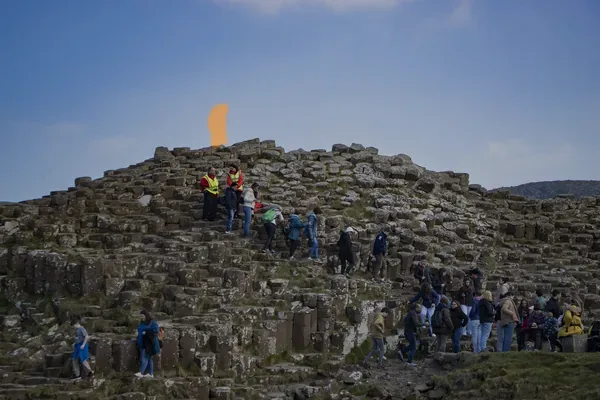
Summit photo with the changed pixels in orange, only the painted tourist and its soft edge

Will the people I keep and the background change?

Only what you paint is repainted, plus a thin margin. Turn on Show changed pixels to see whether anyone you kept has moved.

Birthday table photo with a photobomber leaning in, the original upload

Are photos with people in them kept?

Not for long. The home page has the retention and privacy details.

Get a cleaner result

  1. Paint the feet and the shadow tooA leg, a shoe or a shadow left on the ground shows that someone stood there. In our test, a brush that stopped above the knee left a trouser leg and a shoe behind.
  2. Paint a few people in one blockOn open ground, two or three people in one block beat painting them one by one in our runs.
Walker with the brush stopped at the knee: legs and shoes left behindBefore
Walker painted head to feet with the shadow, faint trace at the headAfter · faint trace

FAQ

Does it pick out the people automatically?

No. You brush over each person, and only the painted area is repainted.

Can I remove someone from a group photo and keep the others?

Yes. Paint only that person. If someone stands close, keep the brush on the one you are removing.

Does it remove the background instead?

No. It keeps the background and removes the person from it.

Do I need an account to remove a person from a photo?

No. You can try it as a guest without signing up. Signing in raises the daily allowance, and signed-in downloads keep your original size. The size limits are on the object page.

Can I remove people on my phone?

Yes, in your phone browser. Paint with a finger and follow the same steps.

Should I use my phone's built-in eraser or this tool?

A built-in eraser is quick for a small figure on a simple background. This tool runs in any browser and shows what changed before you download.

Can I remove an animal?

Yes, the method is the same. Use remove object from photo.

How long does it take?

In our runs, one removal took 8 to 27 seconds.

Is it okay to remove people from a photo?

It is fine on photos you have the right to edit. Do not use it to change a photo that serves as a record.

Why does the button say 2 credits?

A large selection takes more processing. The button shows the cost before you run, and a failed run returns your allowance or credits.

Keep the scene. Lose the stranger.

Choose a photo you can edit, paint over the person, and check the result.

Remove people
One tourist on a summit against the sky, beforeThe same photo with the tourist removed

Free photos every day, plans when you need more

Free photos refresh every day. Plans and credit packs are in the panel below.

Free

$0
  • Guests 3 photos a day, up to 1280 px
  • Signed in 5 a day, original size
  • Resets 00:00 UTC

Basic

$6.99/ month
  • 200 photos a month
  • Original size, PNG
  • Results kept 7 days
  • Unused photos do not roll over
Best value

Pro

$14.99/ month
  • 1,000 photos a month
  • Original size, PNG
  • Results kept 7 days
  • Unused photos do not roll over

Pay as you go

Credit packs. Pay once, no subscription. Valid 12 months.

50 photos

$4.99

$0.10 per photo

Try it out

Most popular

150 photos

$12.99

$0.09 per photo

A batch of product photos

500 photos

$34.99

$0.07 per photo

A large library

1 credit per photo · large photos (over 6 blocks) use 2, shown on the button before you start · prices exclude tax