Remove Watermark from Photo
Brush over the mark on your own photo and run it. Guests get 3 photos a day, up to 1280 px. Signed-in users get 5 a day at original size.
- ✓Free to try
- ✓No sign-up
- ✓Only the area you mark changes


One quick check before we start.
Four kinds of photo watermarks, tested on our own images
We tested four common marks: a corner logo, centered translucent text, a repeating tiled watermark, and a date stamp. Each photo went through the same removal path used by the tool.
| Mark | Blocks | Time, one image |
|---|---|---|
| Corner logo | 1 | about 9 s |
| Centered translucent text | 1 | about 10 s |
| Repeating tiled watermark | 12 | about 8–27 s (3 runs) |
| Date stamp | 1 | about 3 s |
The photos were AI-generated or CC0 images with marks we added. A clean thumbnail does not mean every detail inside the painted area is restored exactly.
The corner logo, centered text, and date stamp each used one processing block. Their measured one-run times were about 9, 10, and 3 seconds. The tiled sample used 12 blocks and took about 8 to 27 seconds across three runs.
The tiled mask covered only the repeated letters, so most of the photo stayed as context for the fill.
All four came back clean at thumbnail size. The date stamp was the quickest, at about 3 seconds. Times include queueing, transfer and compositing, not only model run time.
Three more photos from our November batch came back clean in one run each. They had a phone camera line, a centered agency logo and a username strip.
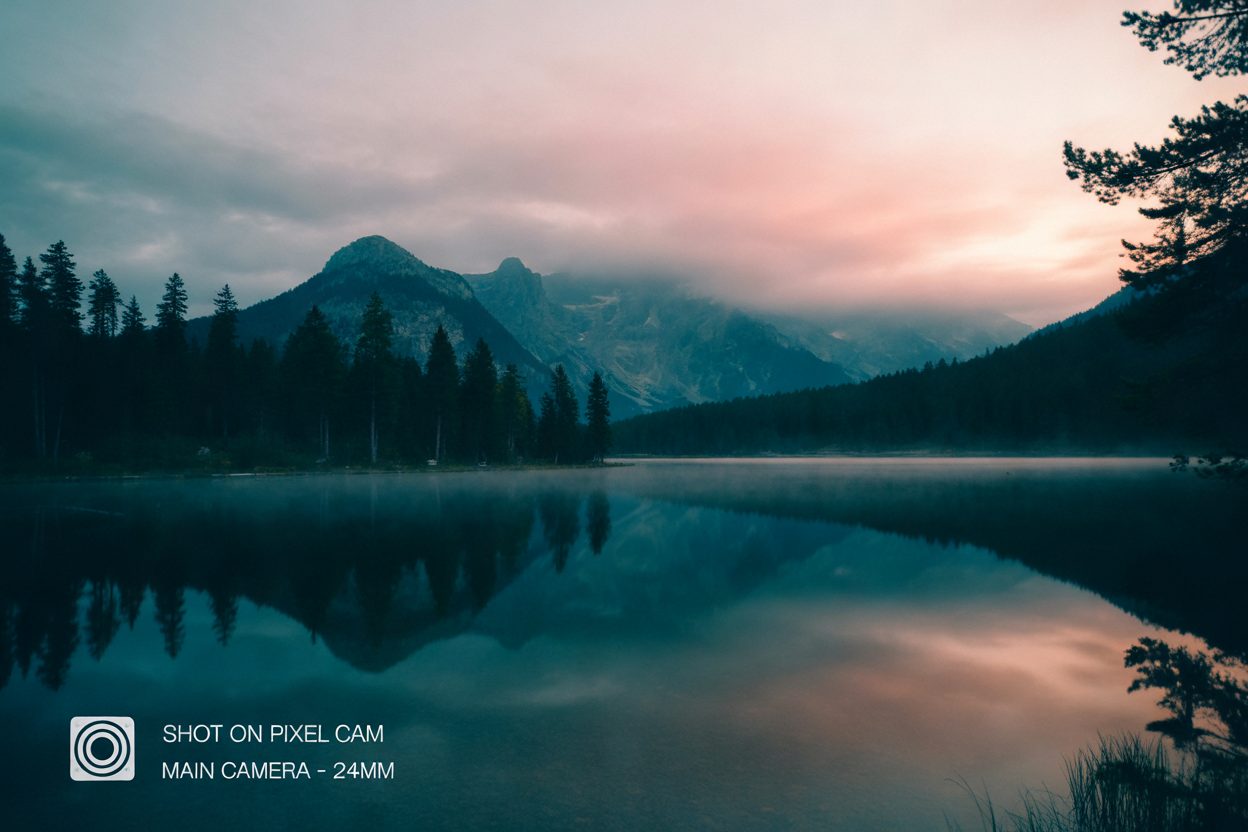 Before
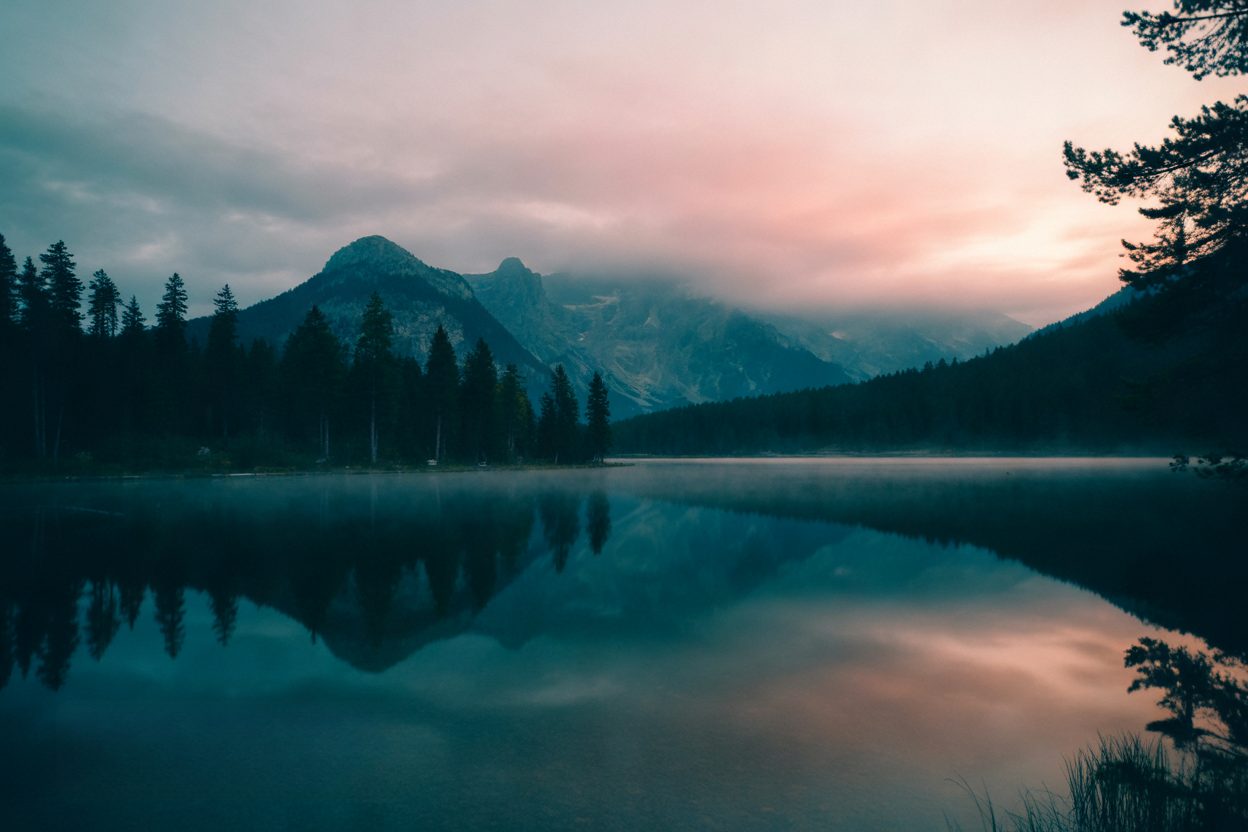 After
Phone camera line
Clean · one run
 Before
 After
Agency logo
Clean · one run
 Before
 After
Emoji sticker
Clean · one run
Date stamps, emoji, stickers and your own logo
These examples focus on marks people add to their own photos. Choose the mark that matches yours; the result depends on what sits underneath it. Each sample shows one image and one run, so inspect the result before using it.


For a mark on fine texture or over a face, see the failure examples and keep the selection narrow.
How to remove a watermark from a photo
Removing a watermark from a photo works by painting over the mark, running removal, comparing the result, and downloading. This flow uses a manual brush; it does not detect marks automatically.
Upload
Upload your photo, or select a sample. Samples do not run until you choose to process them.
Brush over the watermark
Brush over the watermark and extend slightly past its edges. Do not cover details you want to keep.
- BeforeAfter


Remove watermark
Select Remove watermark. The result appears in the comparison view.
Check and download
Inspect the area, then download the PNG if it looks right. If a trace remains, paint just that part and run it again.
Who uses a photo watermark remover

Personal photos
You may have a scanned family picture with a date or a saved photo with your own sticker. Brush only over the mark, then check the filled area before keeping the copy. The hidden background is estimated, not recovered exactly.
Try it on your photo →Your own product photos
A seller may want to replace an old shop logo on a product image they created. Mark the logo rather than repainting the whole product.
Try it on your photo →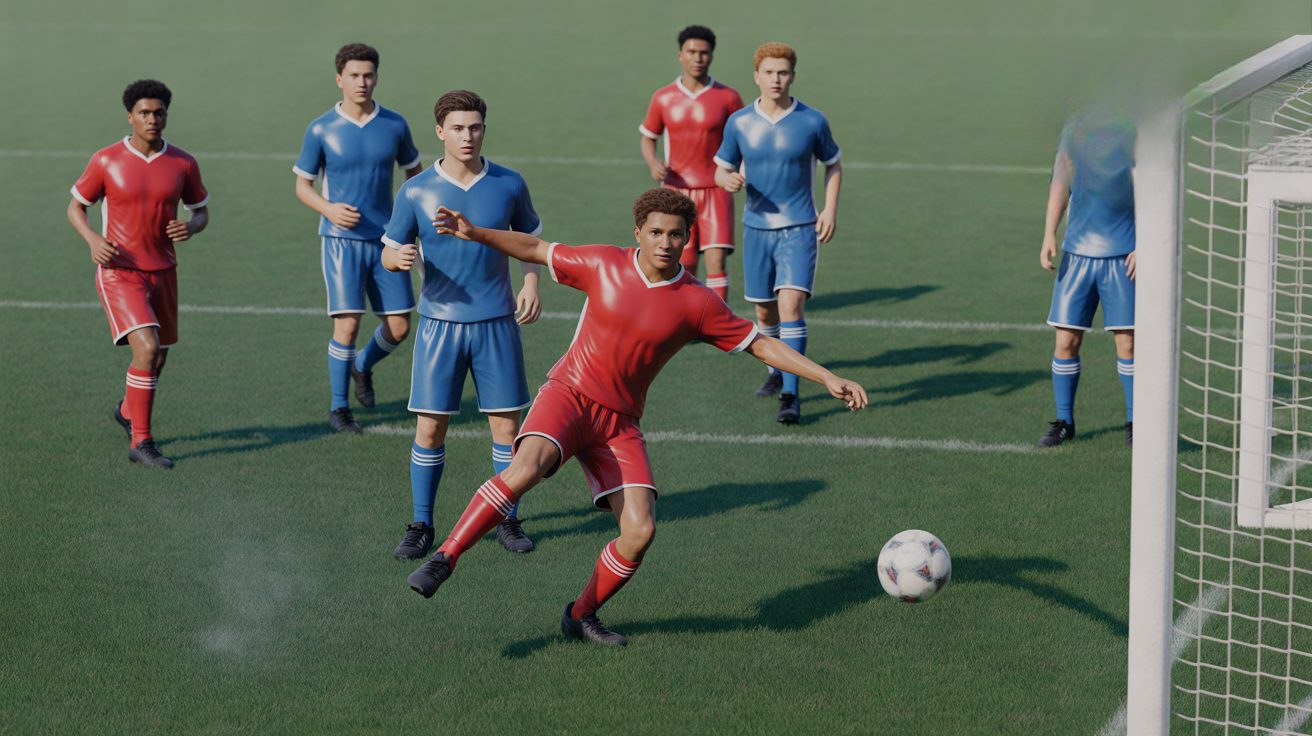
Property and event photos
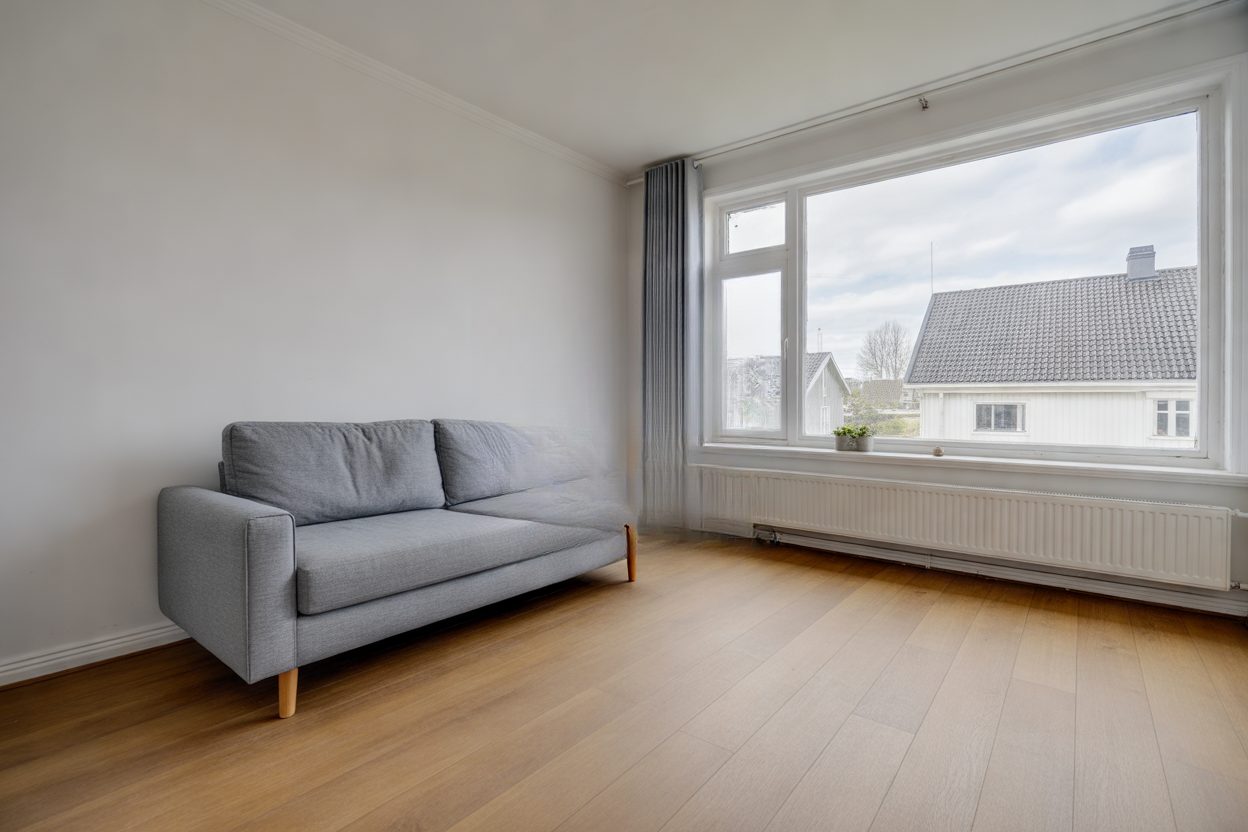
A photographer or agent can clean up a date or their own old signature on a photo they made. Work one image at a time and review edges around people, windows, and patterned surfaces. This tool handles one photo per run.
Try it on your photo →Only the area you mark changes
The model fills the area you paint with an estimate of the background. It cannot reveal the exact hidden pixels.
We compared pixels outside the painted area with the original in two sets: an earlier six-photo check and the 11 photos below. Outside the processing area, 0 pixels changed in both.
Downloads are lossless PNG, so we compared decoded pixel values with the original. Re-saving as JPEG would alter pixels everywhere. The blending margin is not counted; it reached about 15 px from the marked area in the earlier set.
That check says nothing about quality inside the selection, so inspect the rebuilt area before you download.
Inside the mask, fine texture can soften or shift.
When the result isn't clean, and what to do
 Gray blocks
Repeating marks across the whole photo
Painting the entire proof image left gray blocks and erased the headphones and background. Do not cover a tiled watermark edge to edge; the current flow needs unmarked context.
 Noodles blurred
A diagonal word over detailed food
The SAMPLE word disappeared, but noodles under it blurred. Paint close to the letters and avoid covering the bowl or nearby strands; a smaller pass cannot restore lost detail.
Blanket smearStickers over fabric or sports detail
The baby sticker left a pale blanket smear; the baby stayed untouched. The sports score disappeared, but part of the goal net and a player softened. Mark only the lettering and border, then inspect nearby texture.
 Purple haze
Illustration logos
The logo disappeared, but a purple haze appeared by the cottage and the hillside contour shifted. Use a smaller selection and inspect full size; continuous backgrounds are easier to fill than detailed edges.
11 photos we tested, one run each
We tested 11 usable AI-generated photos with marks we added, using the same removal path as the tool. Each had one run; end-to-end time ranged from about 2 to 11 seconds.
Five looked clean, five had a faint trace or softened detail, and the full-image tiled watermark failed. These are examples, not a prediction for another photo.
Clean and Faint trace are our visual calls on each result. Outside each painted area, 0 pixels changed.
- SignatureClean · 6 s
- Camera lineClean · 4 s
- Emoji stickerClean · 4 s
- Username stripClean · 7 s
- Agency logoClean · 2 s
- Date stampFaint trace · 8 s
- Illustration logoFaint trace · 11 s
- Diagonal SAMPLEFaint trace · 7 s
- Score graphicFaint trace · 4 s
- Sticker + dateFaint trace · 9 s
- Tiled, full photoFailed · 6 s
Worried about what it does to your photo?
Will it blur my photo?”
The selected area is rebuilt from an estimate. Fine texture softened on the recipe noodles and sports net. Outside the painted area, 0 pixels changed in our tests.
Will the download have your watermark?”
Downloads do not add a Watermark Eraser mark. That does not remove a mark that remains faintly in the original photo after processing.
Will you keep my photo?”
Results are kept for 24 hours, or 7 days on paid plans. Uploaded image blocks are deleted after one hour. See the privacy details below.
Can it remove a watermark tiled across the whole image?”
Our proof sample failed when the full image was painted: the output lost the headphone detail and became gray blocks. The current flow is not suited to a mark that covers the entire photo.
Can I remove someone else’s watermark?”
Use the tool only on photos and marks you have the right to edit. Removing a rights-management mark to use another person’s work can create legal risk. Read the legal section before proceeding.
Get a cleaner result
- Paint just beyond the markCover the full lettering and a narrow edge. A broad stroke can erase useful background detail.
- Keep faces and fine texture outsideRecipe noodles and the sports net softened where the mark crossed them. Avoid faces, hair, mesh, and patterned fabric.
- Split large marks into smaller areasDo not paint an entire photo to remove a repeating pattern. Smaller selections may leave more clean context, though traces can remain.
- Remove several small marks in one passPaint nearby marks together, then check that the selection avoids neighboring objects.
- Make a second pass only on leftoversRe-upload the result and paint only the faint trace. Repeated filling can soften nearby edges.
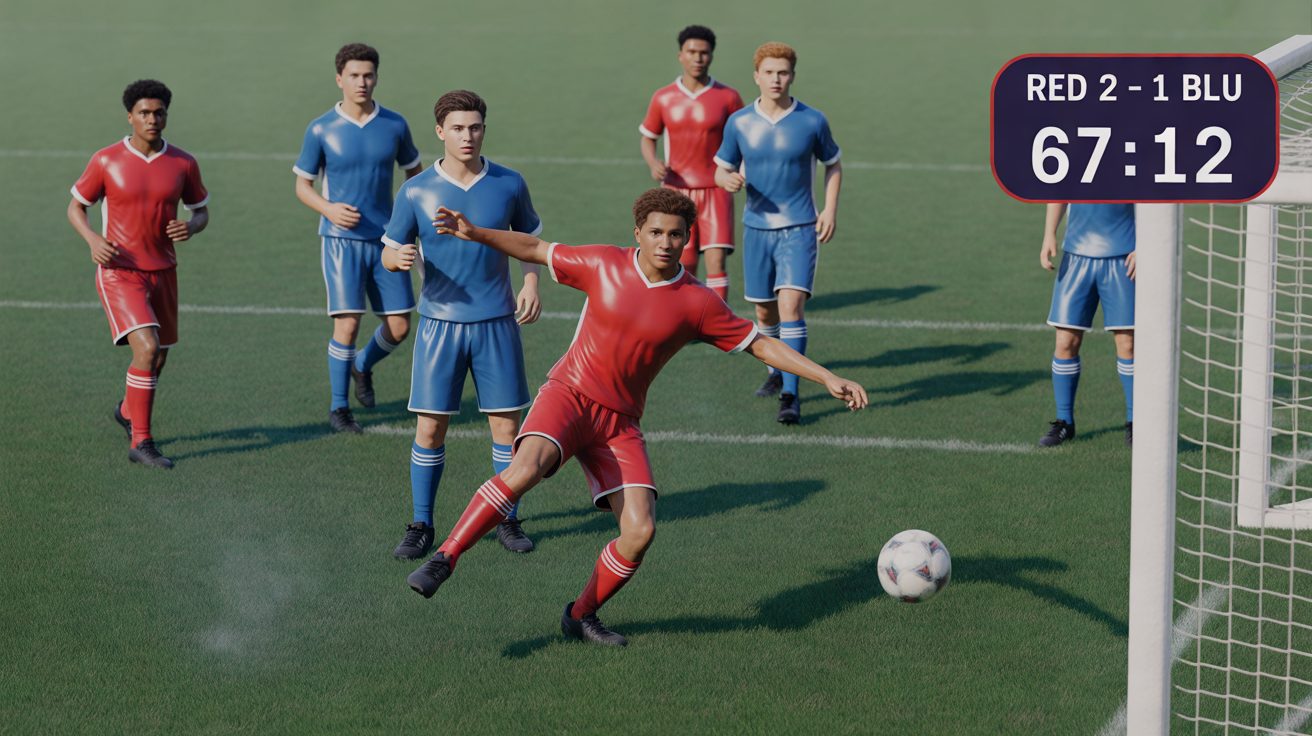 BeforeAfter · net softened
Is it legal to remove a watermark from a photo?
Removing a date stamp, emoji, or logo you added to your own photo is ordinary editing. A watermark on someone else's image may identify its creator or carry copyright-management information.
17 U.S.C. §1202 restricts certain unauthorized removal or alteration when a person knows, or has reason to know, the change will enable, facilitate, or conceal infringement. A visible mark is not automatically copyright-management information, and removing it is not the same as copyright infringement.
A copy does not necessarily grant reuse rights. Our policy bars removing marks from work you have no right to edit.
Read the U.S. Copyright Office text and 17 U.S.C. §1202.
This is not legal advice.
What happens to your photo
- The area you mark goes to Replicate, our image model provider. If that fails, we automatically send the whole image to fal as a fallback. There is no switch to turn this off.
- Our deletion times do not cover copies held by providers. Their retention follows their terms: Replicate's terms and fal's terms.
- Results are deleted after 24 hours (7 days on paid plans). Uploaded image blocks are deleted after 1 hour.
Free photos per day, and plans
Guests can process 3 photos per day at up to 1280 px on the long edge. Signed-in users get 5 per day at original size. Plans and credit packs are available when you need more processing; the price panel shows current options before purchase.
FAQ
Which photo watermark types can I remove?
The tested examples include a corner logo, centered translucent text, a tiled mark, a date stamp, a phone camera line, a sticker, and a signature. Results depend on the image beneath each mark.
Can I remove a repeating watermark across the whole photo?
Our full-image proof test failed: gray blocks appeared when the mark covered all available context. The tool is not suitable for a repeating mark across the entire picture.
Can I remove a phone camera stamp?
Yes. In our phoneshot sample, the camera icon and two “Shot on” lines disappeared while the lake reflection continued across the area.
Can I remove an emoji or sticker from a photo?
The friends sample lost an emoji on a hoodie, with faces outside the painted area. Mark the full sticker and keep the brush off details you want to preserve.
What if a logo sits over fine texture or a face?
The fill inside the selection is estimated. Fine branches, faces, or busy patterns may be harder to rebuild and can show a patch.
Can I remove several marks in one photo?
Paint over multiple marks in one photo and process them together. Use separate smaller passes for different textures.
Can I remove a date stamp from a scanned or old photo?
The picnic sample lost its date stamp, though the grass and blanket edge looked a little soft. Inspect the filled area before keeping the copy.
More ways to clean up an image
Use Remove text from image for words or captions. Return to the home tool for photo cleanup.

Keep the photo. Lose the mark.
Choose a photo you can edit, paint over its mark, and check the result.
Remove watermark